New Features on Suite and Ideas Galore on Twitter
New Features on Suite and Ideas Galore on Twitter
New Oscilloscope and Improved Tone Generator
for Android Suite
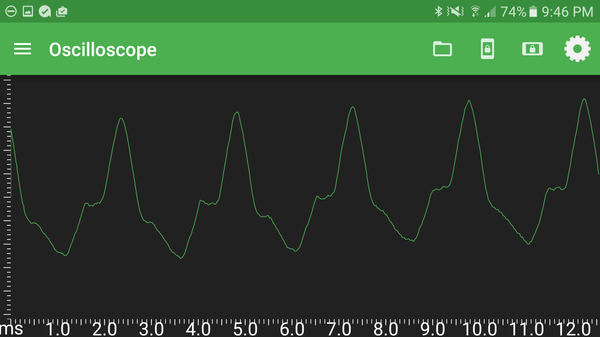
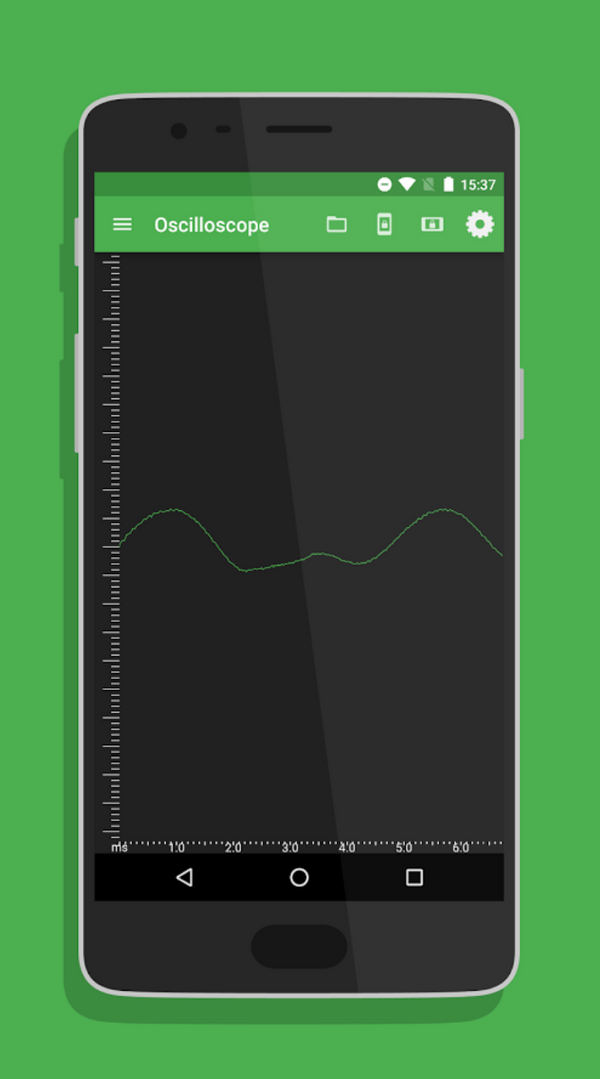
By popular demand, we have now added the Oscilloscope function to Physics Toolbox Sensor Suite for Android.
Use this tool to qualitatively make observations about tone frequencies and wave shapes. You can easily compare the timbre of the same tones sung by people of different gender, age, and physical proportion, and of various musical instruments.
Using the Tone Generator function on a different mobile device, you can also visualize pre-defined sine, square, sawtooth, and triangle-shaped waves and observe their difference in tone.
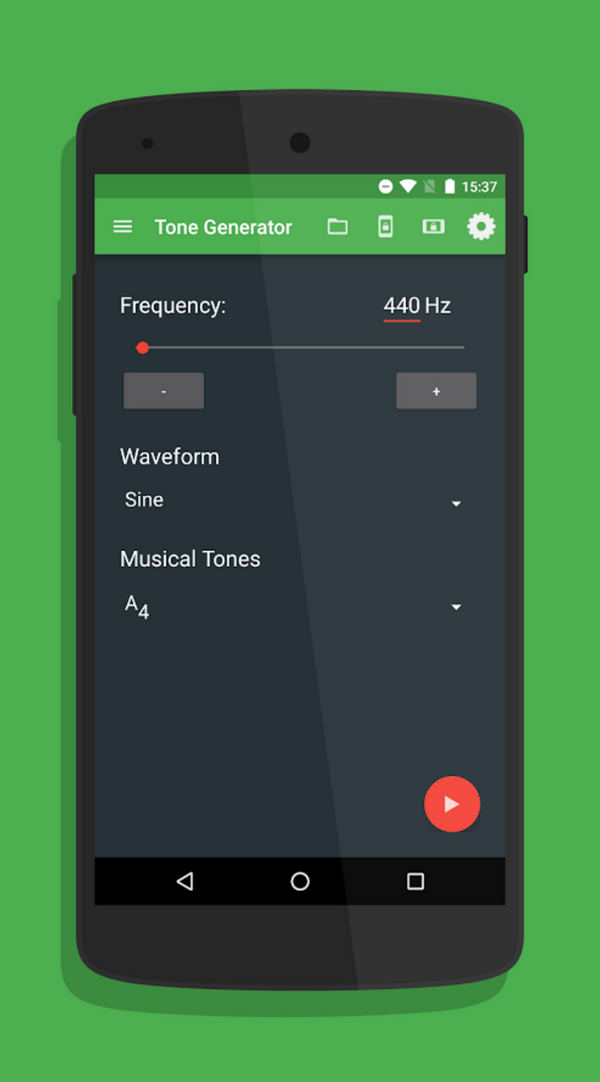
In this most recent update, the Tone Generator also received a make-over. "Minus" and "Plus" buttons now make it easier to select specific frequencies, and the output frequency automatically changes when the frequency is changed either by pressing the buttons or entering the value on the screen.
Pre-defined Pythagorean musical tones are also available, including the chromatic octave from C4 to C5, with an extension to C6 to help students understand the relationship between octaves and frequency values.
Follow Users on Twitter for a Myriad of Teaching Ideas
If you want nearly immediate interaction with us at Vieyra Software, reach out on Twitter! Although we primarily get interactions from educators, we encourage anyone who is interested to tweet at us showing us how you are using mobile sensors. (We want to hear from the researchers, engineers, and musicians who use our apps, too!)
Follow us @PhysicsToolbox.
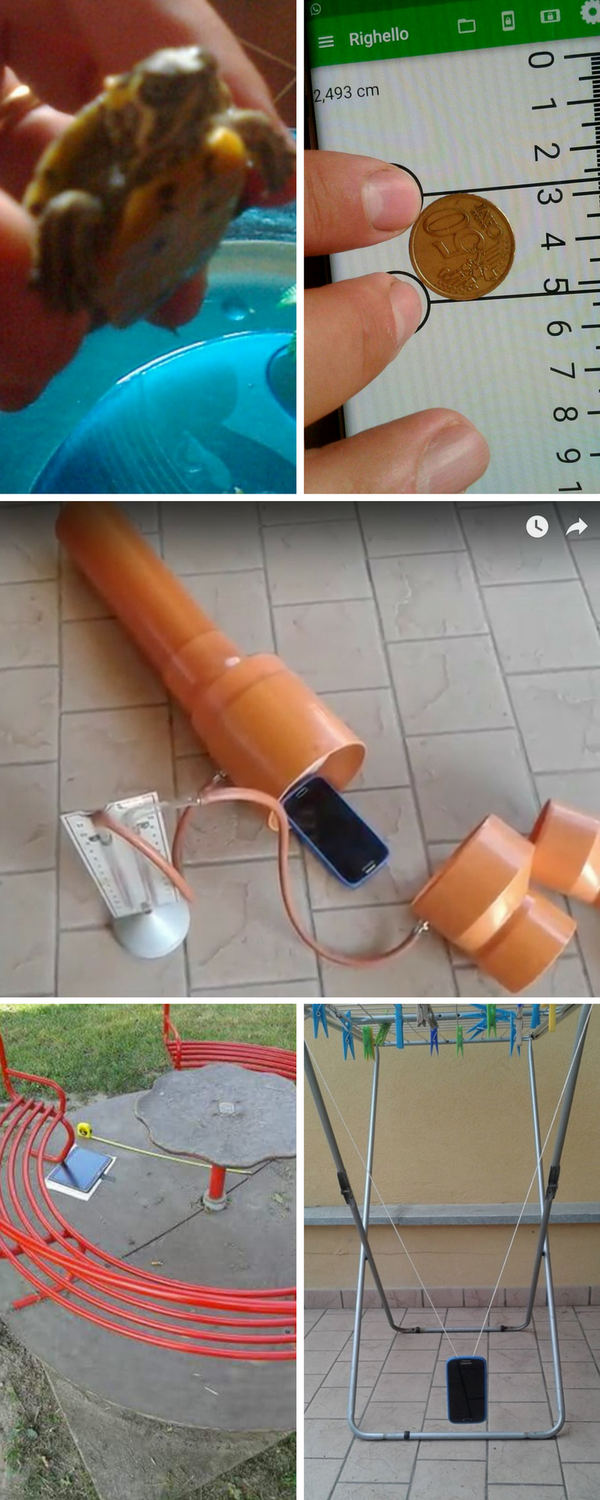
Our Twitter feed is where we keep the most immediate up-to-date information about what we and our users are doing. Check it out for a wide range of creative ideas shared by others, including snapshots shown to the right from this past week. All photos are attributed to Stefano Macchia except the tiny turtle shared by Alfonso D'Ambrosio and Loredana Imbrogno. (Yes, you can do smartphone science experiments with tiny turtles and magnetic fields!)
If you are looking for regular postings about high quality mobile science teaching content, check out these feeds as well.
@stefano.macchia
@fisicamartin
@Arturo_m1968
@AM_Pendrill
Citizen Science
Smartphones as a tool for crowdsourced data.
Recently shared in the Times of India Pune, the India-based Center for Citizen Science's Citizen Science Network works with local universities and colleges to encourage students to collect noise pollution data. The network recently published their data during the Ganesh festival. Mobile apps, including Physics Toolbox Sensor Suite, were used to collect average decibel levels at various locations and at various times.
Sound pollution has become a bigger issue in recent years due to greater urbanization and an increase in air traffic (for those who live near airports). The ability of smartphones to accurately record decibel levels over a period of time and to easily correspond the data to GPS locations make them ideal tools for crowdsourcing of data.

Quick Lab Ideas
Precision and Accuracy
Many science teachers start their year with a study of precision and accuracy, two terms that are frequently confused with one another. Understanding these concepts are vital for making claims about the significance of quantitative findings and error in measurement. Two Physics Toolbox Sensor Suite sensors can support interactive engagement with these concepts: the Ruler and the Barometer.
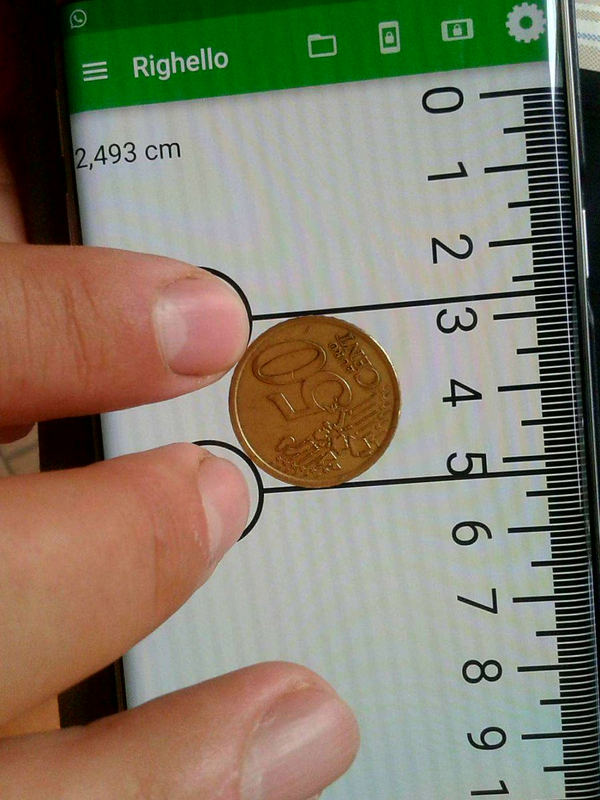
Precision refers to the variation of measurements within a set of data and is associated with repeatability of data. A simple activity is to ask students to measure the diameter of a single coin a total of five times using the digital Ruler function. What is the maximum difference between the lowest and the highest measurement? What variables might influence this range?
Accuracy refers to the difference between a value and the actual "true value." In reference to the coins, look up the standard values for coins minted in your own country. See tables here for dimensions of U.S. coins and Euro coins. Using the average of the five values measured earlier, determine the difference between the measured and the ideal values listed by your country.
The measurement in the image below, taken by @macchia_stefano, is fairly accurate. Standard 0,50 Euro coins are meant to have a diameter of 2,425 cm (written in the U.S. and many other nations as 0.50 Euro and 2.425 cm, respectively; the app accounts for languages that use either the period or the comma as the decimal separator).
A similar experience can be undertaken using the barometer. Although smartphones tend to have a high precision and are very good for estimating changes in altitude based upon relative pressures, they are not always very accurate (compare to local weather stations).
Have Physics Toolbox Apps been useful to you? We'd love to get your feedback on this quick 5-minute survey.
Have a great story to share about how you are using Physics Toolbox Apps? We'd love to feature you and your ideas in our newsletter or on our website! Drop us a message at any time to share your story.
Previous Newsletter Editions