Waterfalls and Mexico
Waterfalls and Mexico
Acoustical Visualizations
Waterfall setting on Suite and Pro
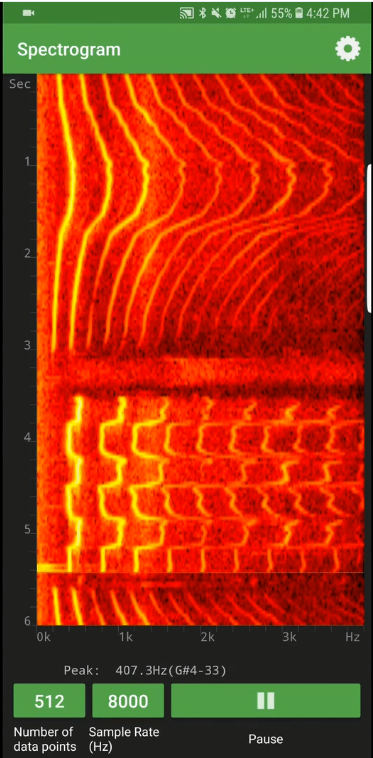
Physics Toolbox Suite and Pro now include a new setting to analyze complex changes in frequency of a sound source. The Spectrogram mode produces a waterfall visualization, showing all of the major frequencies produced as time elapses. The most prominent frequency appears brighter on the graph, and harmonics can also be observed in the repeated patterns at other frequencies. Physics Toolbox Sensor Suite Pro has added features allowing the user to modify the number of data points and sample rate.
Of the two sets of data in the image to left, which waterfall demonstrates the Doppler effect? You might be surprised! To create a Doppler setup using a smartphone as sound source and analyzer, see the video from Italian physics teacher Giovanni Pezzi. Then, check out this Spanish-language blog article by the Uruguayan SmarterPhysics team:
Suite/Pro Available for Chromebook
Use sensors integrated into modern Chromebooks
With the many sensors now integrated into Chromebooks, we have ensured that Suite and Pro are compatible. You might be surprised to know that most modern Chromebooks have an inertial sensor unit (including an accelerometer/g-force meter, gyroscope, and magnetometer), light meter, and sound meter. Using Suite and Pro on Chromebooks can be very helpful in the case of schools that have 1-to-1 technology, and to teachers or presenters who might want to display data collection on a projector, without the use of mirroring apps that are necessary for smartphones, such as AirMore or AirDroid.
Resources for Outreach
Introducing Teachers and Students to Sensors
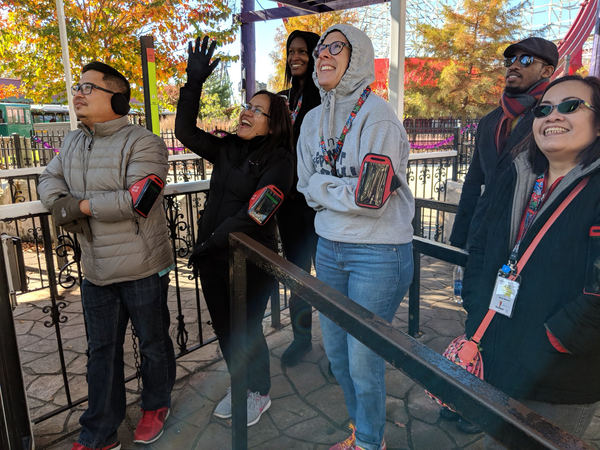
On November 10, Rebecca and Chrystian worked with the American Physical Society to present a 6-hr workshop to DC and Baltimore area middle and high school physics teachers at Six Flags America. Rebecca developed a worksheet (useful with any sensor app) that might be helpful to you as you prepare your own students or your colleagues for sensor-based amusement park physics. Get the practice sheet below.
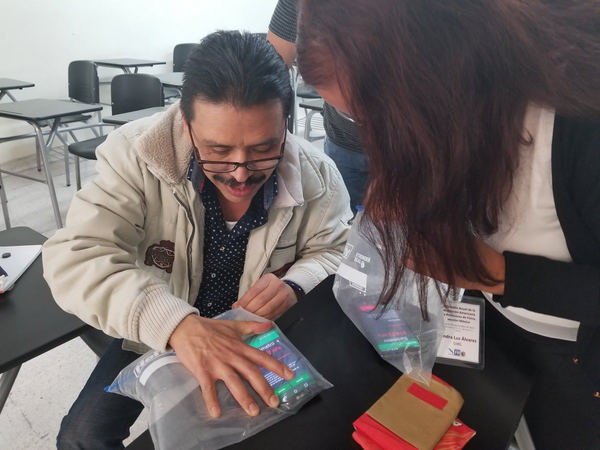
On November 16 & 17, Rebecca was able to attend the American Association of Physics Teachers Mexican section (AAPT-MX). During that visit, she was able to do two 2-hr. workshops on "Introduction to Smartphones as a Teaching Tool." You can directly access the worksheet and presentation used in this workshop, or click the link below (and also get access to the same resources in Spanish).
Quick Lab Ideas
Vector Components and Free Fall in the Palm of Your Hand
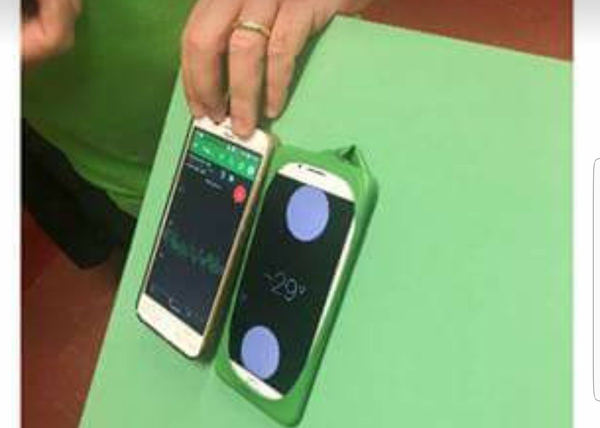
Students frequently struggle with the typical "box sliding down an inclined plane" analysis, because it involves both components of force as well as a shift in the frame of reference. Fortunately, the smartphone can be used to very easily change the frame of reference by rotating it! Study components of forces with the g-force mode. Then, measure accelerations down various inclines. A nifty trick to measuring angles as the inclined plane is lifted or lowered is to cut and then stretch a ballon over the back of a smartphone to give a good sticking surface so it won't slide while making measurements.
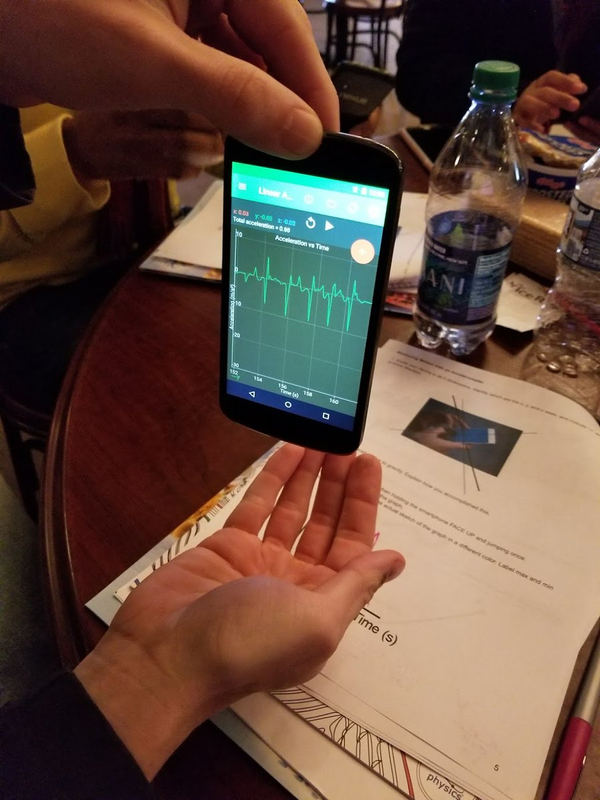
Measuring free fall doesn't require doing anything dangerous with your phone like dropping it from a balcony or tossing it up in the air. A simple drop into the palm of the hand from a few centimeters distance is all that is needed. The image above shows repeated measurements of 9.8 m/s/s. Get more lesson ideas below.
Physics Toolbox around the Web
We are always curious to learn about how Physics Toolbox is being employed in education and industry around the world. Here are a few references using or citing the work of the Physics Toolbox team.
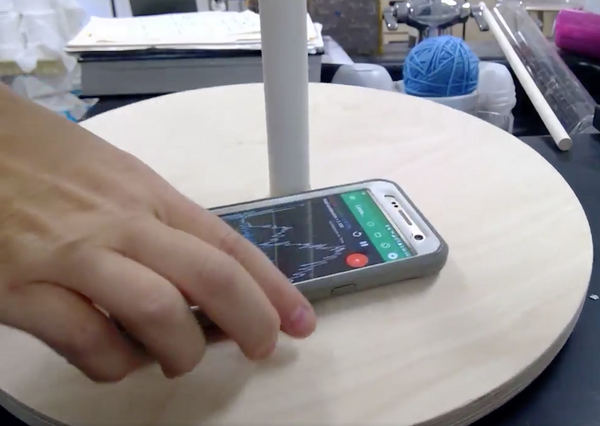
California physics teacher Bree Barnett Dreyfuss shared a video of an inventive way to study rotational motion, after making wooden "tops" for her AP Physics class. See the video on Twitter. For more information about how to use these wooden tops (or record players) to locate the accelerometer location in the smartphone, see this video featuring our French colleague, Philippe Jeanjacquot. With a consistent rotational period, students can use understandings of uniform circular motion and trigonometry to locate the sensor.
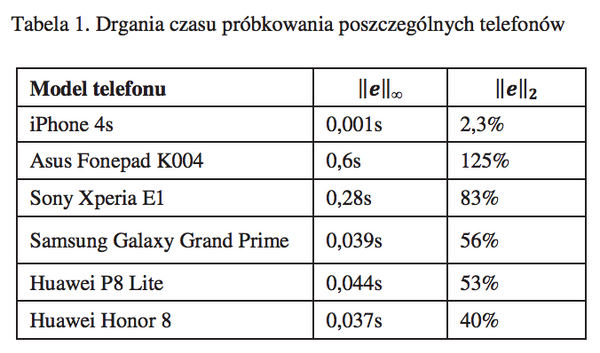
We get a lot of inquiries from users about data collection rates. A Polish-language article was recently released comparing data collection rates for accelerometers across various types of smartphone models. While there still isn't much known about objective precision, accuracy, or data rate collection, you can generally count on manufacturer specification info from the sensor manufacturer. (Not sure where to find out who manufactured your sensors? Click on the small circle "i" button within any sensor mode).
Have Physics Toolbox Apps been useful to you? We'd love to get your feedback on this quick 5-minute survey.
Have a great story to share about how you are using Physics Toolbox Apps? We'd love to feature you and your ideas in our newsletter or on our website! Drop us a message at any time to share your story.
Previous Newsletter Editions