Studying Physics in Non-Traditional Spaces
Studying Physics in Non-Traditional Spaces
Multiple Modes to Study Elevators
Smartphones among a Suite of Tools
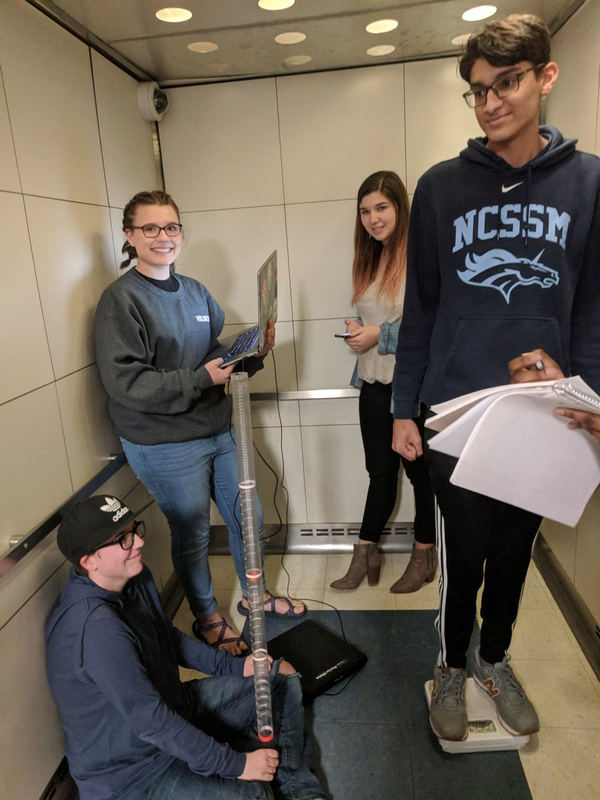
Physics teacher Charlie Payne tweeted this great photograph of his students doing an elevator lab in January using multiple approaches: bathroom scales, vertical plumb-bob accelerometer, Vernier force plate, and Physics Toolbox!
Elevators are a fantastic non-traditional learing space to study changes in net force using the g-Force Meter, changes in acceleration using the Accelerometer, displacement using the Barometer (or doing a double integration of accelerometer data) and speed using the Barometer (or doing a single integration of accelerometer data).
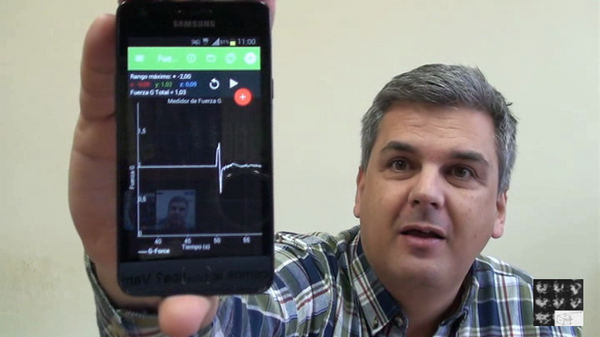
What exactly is going on with forces in the elevator? Check out this video from Arturo Quirantes (Spanish-language).
Spectrum Analyzer Now on Suite,
Additional Features on Pro

Spectrum Analyzer for sound has been added to Physics Toolbox Sensor Suite, and the version that was on Pro has been completely revamped to allow zoom for easier measurement of peak frequencies. In addition, Pro allows for linear and logarithmic frequency axis settings, as well as modifiable numbers of data points and sampling rate.

Uses of Pro now have added features to enhance the recently-released waterfall spectrogram. Users can change primary colors from the default of red to blue, change orientation from vertical to horizontal, and modify the timebase.
Science on Stage with Mobile Apps
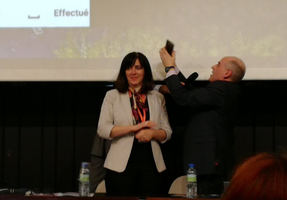
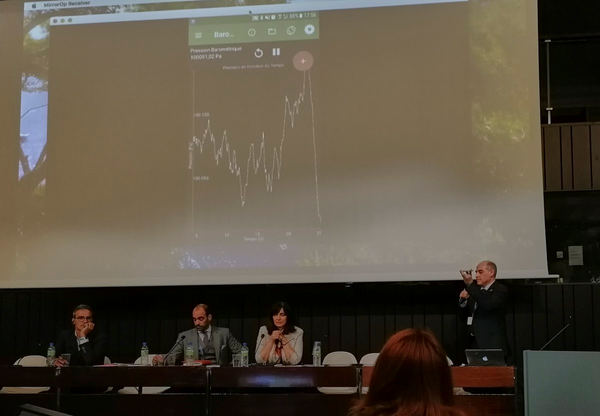
On January 25, our colleage Jean Luc Richter shared demonstrated Physics Toolbox at the first European Education Summit. Pictured above is Jean Luc measuring the height of the Croatian Minister of Education using the barometer. Many of the ideas he shared come from his collaborations with the innovative Science on Stage teacher group, who created the lesson resource iStage2: Smartphones in Science Teaching. Thanks to Jean Luc for continuing to share the utility of smartphones in teaching!
Physics Toolbox around the Web
We are always curious to learn about how Physics Toolbox is being employed in education and industry around the world. Here are a few references using or citing the work of the Physics Toolbox team.
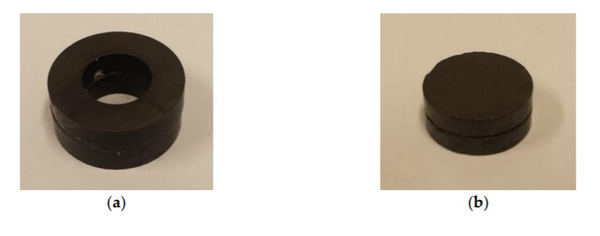
You might have used the smartphone to help students understand magnetic field strength as a function of distance from the source, but you might not have considered doing the same with quadrupoles. Check out this pre-print article from a collaborative team in Spain.
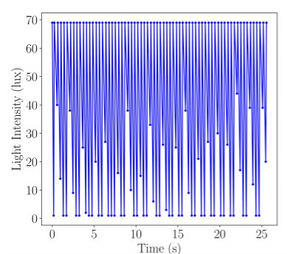
The light meter of a smartphone can sometimes be used as a tachometer for rotor speed (so long as blade transitions take more time than light intensity measurement recordings.
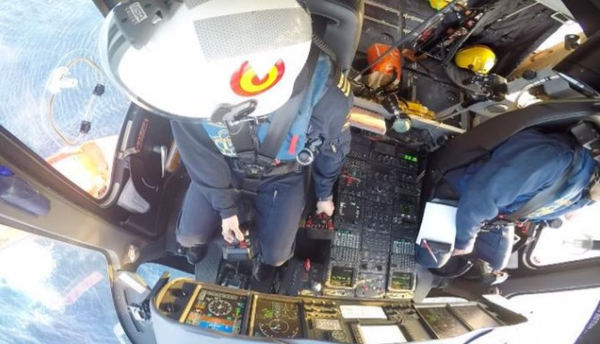
We've followed the work of Huseyin Avsar using Physics Toolbox to determine target size for screen-based controls in aircraft turbulence. In summation, he published his doctoral thesis recently.

Similar to the article above, the smartphone is used to measure the angular velocity of a slow-moving rotating grill of a fan. This article aims to provide an educational rationale for using the smartphone as a tachometer, as it can be used in industrial settings.
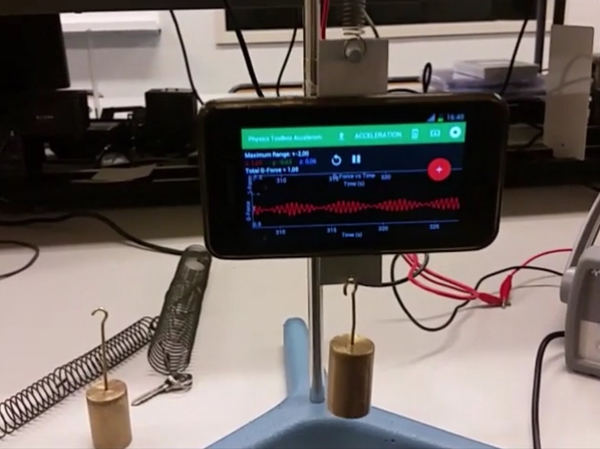
Juan Antonio Montsoriu presents an idea for mechanical beats. The smartphone is mounted to a spring that oscillates, which hanges from a vibrating diaphram which also oscillates and can be modified to observe mechanical beats.
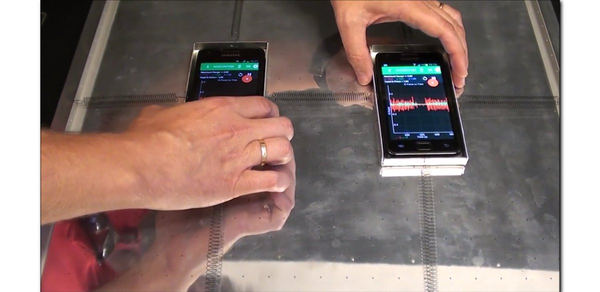
Also from Juan Antonio Montsoriu, two smartphones are placed as coupled harmonic oscillators in two dimensions with springs. Two cases for the phones have been neatly fashioned and placed on top of an air table to minimize friction.
Italian Video Series
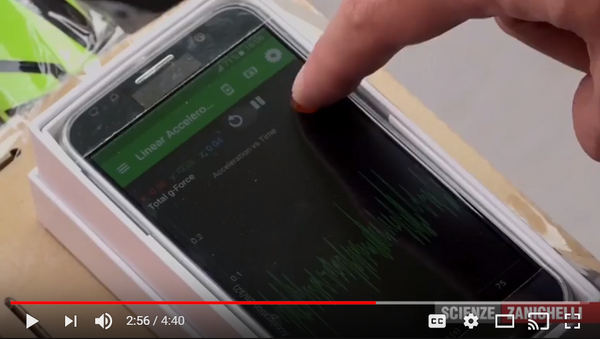

In 2016, the Italian textbook publisher Zanichelli released new editions of its Fisica: Leccioni e Problemi books, and adopted Physics Toolbox as one of its main suggested tools for labs. The publisher created a set of 10 video tutorials to help teachers use the app with their students.
Details are provided about recording, exporting, and then analyzing the data using Excel. Captions are available by clicking on the "CC" option in the video frame, and can be auto-translated to English in the video settings.
- How are the axes oriented in a smartphone? Como sono orientati gli assi delo smartphone?
- Measure a constant quantity Misurare una grandezza constante
- Rectilinear motion with a cell phone Moto rettilino uniforme col cellulare
- How to measure the acceleration of a bus Come si puo misurare l'accelerazione di un autobus?
- Centripetal acceleration with a cell phone Accelerazione centripeta col cellulare
- Measure angular acceleration Misurare l'accelerazione angolare
- Altitude and pressure Altitudine e pressione
- Sound intensity L'intensita sonora
- Variation of light intensity based on distance Variazione dell'illuminamento al variare della distanza
- Measure the intensity of the magnetic field Misurare l'intensita del campo magnetico
Have Physics Toolbox Apps been useful to you? We'd love to get your feedback on this quick 5-minute survey.
Have a great story to share about how you are using Physics Toolbox Apps? We'd love to feature you and your ideas in our newsletter or on our website! Drop us a message at any time to share your story.
Previous Newsletter Editions